Manual Android maintenance and permission control for privacy-minded users
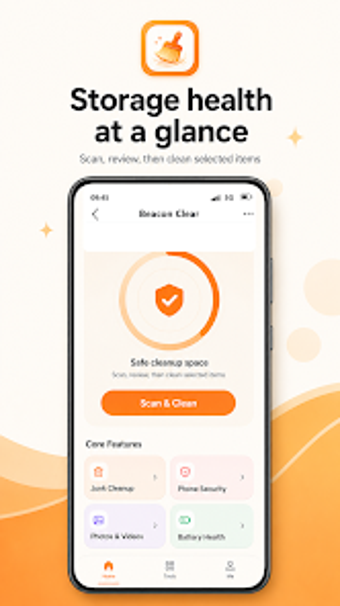
Beacon Clear, from FIXINS INSTRUMENTS, is an Android utility focused on device storage and health management for hands-on maintenance. It gives manual scanning, inspection, and confirmed removal of cache, media, and files while tracking battery statistics and app usage. Key tools include a review-first junk cleanup, timeline media browser, permissions grouping, app uninstaller, and Port Care guidance for charging-port checks. The app targets Android users who prefer manual control and transparent, non-automated device upkeep.
Beacon acts as a manual device-maintenance hub.
Beacon consolidates storage, media, and battery controls into a single Android utility focused on inspected actions. Its core is a review-first cleanup that forces selection before deletion, while media management presents photos and videos in a timeline with duration and size details. The app also offers app uninstaller listings sorted by size and a permissions manager grouped by sensitive permission types.
The review-first workflow reduces accidental deletions during routine cleaning.
Beacon scans app-owned cache and supported locations for manual review, so users confirm removals rather than relying on automatic sweeps. Folder Cleanup integrates with the Android system picker to let users select specific folders, review file counts and sizes, then delete chosen items. This workflow puts decision control in the user's hands and prevents background-cleaning surprises common in automated cleaners.
The app makes permission auditing and basic security checks accessible to end users.
Permissions Manager groups apps by sensitive permission types so reviewers can inspect access at a glance. Phone Security performs on-device app risk reviews to identify safety or risk states, but it does not operate as a real-time antivirus. Usage Time requires Android Usage Access to show daily application patterns, and Port Care provides charging-port status checks and practical cleaning guidance.
Beacon suits single-device caretaking rather than team coordination.
Available for Android, the app requires standard permissions such as Media Access and Usage Access, which keeps its operations local to the device rather than cloud-synced. Media timeline and size-aware uninstall lists help compact storage on a single handset. The application is generally perceived as a practical, transparent utility that avoids hidden actions, so it aligns with individuals who prefer hands-on optimization over centralized fleet tools.
Best for privacy-minded solo caretakers, not centralized device managers.
Beacon is a practical option for individual Android caretakers who need explicit oversight of device condition and storage choices. It emphasizes deliberate user decisions rather than automatic background actions, so administrators who need centralized controls or cross-device synchronization should consider different solutions. For hands-on maintenance on a single handset, the app provides a controlled, transparent maintenance path. Expect a brief onboarding step to grant standard device permissions.